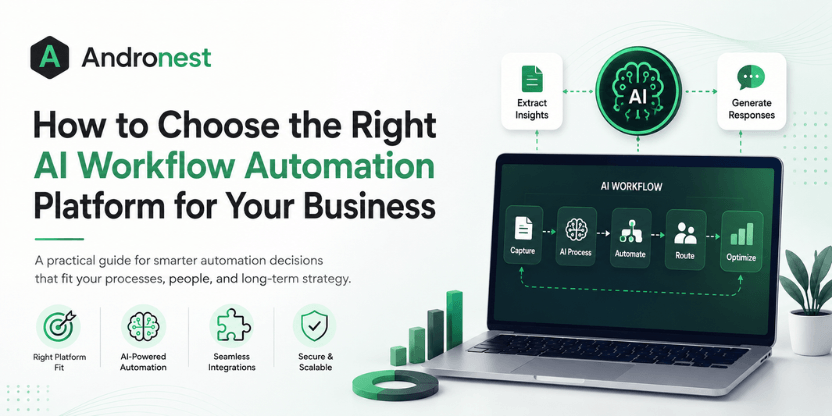
AI workflow automation has moved beyond simple rule-based automation.
Businesses are now using artificial intelligence to interpret documents, summarize information, route requests, generate content, assist employees, interact with customers, analyze data, and coordinate multi-step business processes.
The opportunity is significant. But so is the complexity.
A growing number of platforms now promise to automate work with AI. Some are designed for simple no-code integrations. Others specialize in enterprise process orchestration, robotic process automation, AI agents, developer-led automation, or specific business functions.
This creates a difficult question for business leaders:
How do you choose the right AI workflow automation platform for your business?
The answer is not to select the platform with the longest feature list or the most impressive AI demonstration.
The right platform is the one that fits your business processes, integration environment, data requirements, governance model, technical capabilities, and long-term automation strategy.

This guide gives business leaders, operations managers, and technology decision-makers the framework to make the right selection: the eight criteria that determine platform fit, the most common selection mistakes, a practical evaluation process, and the questions to ask before committing.
What is an AI Workflow Automation Platform?
An AI workflow automation platform is software that combines workflow orchestration with artificial intelligence to automate tasks, decisions, data movement, and multi-step business processes.
Traditional workflow automation generally follows predefined rules:
If X happens → perform Y action.
AI workflow automation can add capabilities such as:
- Understanding unstructured text
- Extracting information from documents
- Classifying requests
- Generating responses
- Summarizing information
- Making recommendations
- Interacting with users conversationally
- Selecting tools or actions
- Coordinating multi-step tasks
- Handling variable inputs
- Supporting human decision-making
For example, a traditional workflow might automatically forward an email containing the word “invoice” to the finance team.
An AI-powered workflow could:
- Understand the email’s intent.
- Extract information from the attached invoice.
- Validate key fields.
- Check the supplier against internal systems.
- Route exceptions for human review.
- Update the ERP or finance platform.
- Notify the appropriate stakeholders.
- Maintain an audit trail of the process.
The difference is important.
Traditional automation executes predefined instructions. AI workflow automation can interpret information and support more dynamic processes.
Read: AI Agents vs Traditional Automation
Why Choosing the Right AI Workflow Automation Platform Is Difficult
The AI workflow automation market has fragmented significantly in the past three years, creating a landscape where multiple legitimate tool categories exist — each appropriate for different contexts — but where the category distinctions are not always visible from the outside.
Understanding the landscape before evaluating specific platforms is essential because buying the wrong category of tool, not just the wrong tool within a category, is the most expensive and most common selection error.
No-code and low-code builders — platforms like Zapier, Make.com, Microsoft Power Automate, and Kissflow — prioritize accessibility. They allow non-technical users to design workflows through visual interfaces, connecting applications through pre-built integrations with minimal configuration. They are fast to deploy and appropriate for straightforward trigger-action automation across SaaS tools. They struggle with complex business logic, custom data transformations, and high-volume enterprise workloads.
AI-native orchestrators — platforms like n8n, Kestra, and Temporal — embed AI reasoning directly into workflow execution. Workflows can reason about context, handle ambiguous inputs, and adapt their behavior based on intermediate results, rather than following rigid if-then paths. They require more technical sophistication to configure but deliver qualitatively different automation capabilities: workflows that can process unstructured data, make contextual decisions, and operate without predefined rules for every scenario.
Enterprise automation suites — platforms like ServiceNow, UiPath, Automation Anywhere, Nintex, and Appian — combine robotic process automation, process mining, workflow orchestration, and AI capabilities into unified governance-first platforms. They are appropriate for large organizations with complex, regulated, multi-system process environments. They carry significant implementation complexity and cost.
CRM-embedded automation — platforms like Salesforce Agentforce, HubSpot’s workflow engine, and Microsoft Dynamics 365 — embed automation directly within CRM systems. For organizations whose core workflows are customer-facing — sales, marketing, service, and support — this integration advantage is decisive. For workflows that span beyond the CRM, the embedded automation model creates the same data silo problem it was designed to solve.
Developer-first workflow engines — platforms like Temporal, Prefect, and Dagster — treat workflows as code: version-controlled, testable, reproducible, and deployable through engineering processes. They are designed for data engineering, microservice orchestration, and mission-critical workflows where reliability and auditability are paramount. They are not appropriate for business users without coding experience.
With these categories established, the eight selection criteria that follow become specific and actionable rather than generic.
How to Choose the Right AI Workflow Automation Platform: The Key Factors
1. Map Your Workflows Before Choosing a Platform
Do not choose an automation platform before understanding the processes it needs to automate. Map each workflow based on its volume, complexity, integrations, decision points, and exception rate.
A simple trigger-action workflow may only need a lightweight no-code platform, while a process involving unstructured data, multiple systems, and frequent exceptions may require an AI-native solution.
Key takeaway: Start with the workflow, not the platform.
2. Assess Your Team’s Technical Capabilities
Choose a platform your team can realistically build, maintain, and troubleshoot.
No-code platforms are often suitable for business users and straightforward workflows. Low-code platforms offer greater flexibility for technically capable operations teams, while developer-first platforms provide deeper customization for complex enterprise automation.
An overly technical platform may remain underused, while an overly simple platform may quickly become a limitation.
Key takeaway: Match platform complexity to the people who will actually operate it.
3. Understand AI-Native vs. AI-Adjacent Automation
Not every platform marketed as “AI-powered” is truly AI-native.
AI-adjacent platforms typically add AI capabilities to traditional rule-based workflows. AI-native platforms can use AI to interpret unstructured information, make contextual decisions, and handle more dynamic execution paths.
AI-native capabilities are valuable for workflows involving documents, emails, complex exceptions, and contextual decision-making. For predictable processes with clearly defined rules, traditional automation may still be faster, cheaper, and easier to maintain.
Key takeaway: Use AI reasoning only where the workflow genuinely requires it.
4. Prioritize Integration Depth Over Integration Count
Thousands of available integrations mean little if the platform cannot interact deeply with your critical business systems.
Evaluate whether integrations support:
- Real-time triggers
- Required data entities and fields
- Read and write operations
- Secure authentication
- Reliable API access
A deep integration with your CRM, ERP, or service platform is more valuable than hundreds of connectors your business will never use.
Key takeaway: Integration quality matters more than integration quantity.
5. Evaluate Scalability and Total Cost of Ownership
A platform that is affordable during a pilot may become expensive when automation volume increases.
Evaluate the full pricing model, including:
- Workflow executions or tasks
- AI model usage
- Premium connectors
- Implementation
- Training
- Custom integrations
- Ongoing maintenance
Model costs based on your expected usage over several years rather than comparing only monthly subscription prices.
Key takeaway: Evaluate the cost of operating automation at scale—not just the cost of getting started.
6. Make Security and Governance Non-Negotiable
AI workflows may access customer information, financial data, internal systems, and other sensitive business information.
Evaluate:
- Data residency and retention
- Encryption
- Identity and access management
- Role-based permissions
- Audit trails
- Environment separation
- AI decision traceability
- Incident response
Governance is equally important. Organizations need clear controls over who can create, modify, approve, and deploy automations.
Key takeaway: The more autonomy you give AI, the stronger your governance must become.
7. Decide Between Build, Buy, or Hybrid
A packaged platform is often the fastest choice for common automation patterns. Custom development may be more appropriate for highly specialized workflows, complex integrations, or unique compliance requirements.
For many enterprises, the best approach is hybrid:
Use a platform for standard automation + custom development for specialized requirements.
This provides faster deployment without forcing every business process into the limitations of a single platform.
Key takeaway: You do not always have to choose between building and buying.
8. Evaluate Vendor Stability and Future Roadmap
An automation platform can become critical business infrastructure, so evaluate where the vendor is heading—not only what the platform offers today.
Consider:
- Vendor stability
- Product investment
- AI and agentic automation roadmap
- Governance capabilities
- Ecosystem alignment
- Long-term platform strategy
As AI workflow automation evolves toward increasingly agentic systems, the platform should be capable of evolving alongside your automation strategy.
Key takeaway: Choose for your future operating model, not just today’s feature requirements.
Also read: AI Risk vs AI Reward – Finding the Right Balance
AI Workflow Automation Platform Evaluation Checklist
Use the following framework when comparing platforms:
| Evaluation Area | Questions to Ask |
| Business fit | Does it solve our priority workflows? |
| Ease of use | Can the intended team build and maintain workflows? |
| AI capability | Does it support the AI tasks we actually need? |
| Integrations | Can it connect deeply with critical systems? |
| Model flexibility | Can we choose or change AI models? |
| Human oversight | Can high-risk actions require approval? |
| Security | Are identity, data, and credentials protected? |
| Governance | Can we control who builds, changes, and runs workflows? |
| Observability | Can we understand failures and AI behavior? |
| Scalability | Can it support growing automation volume? |
| Cost | What is the total production cost? |
| Extensibility | Can developers build custom functionality? |
Do not give every criterion equal weight.
A regulated enterprise may prioritize governance and auditability.
A startup may prioritize speed and flexibility.
A large organization with legacy systems may prioritize integration depth.
Your evaluation framework should reflect your business reality.
No-Code vs. Low-Code vs. Developer-First AI Automation
The technical model of the platform also matters.
No-Code Platforms
Best suited for:
- Business users
- Straightforward workflows
- SaaS integrations
- Rapid experimentation
Advantages: Faster adoption and lower technical barriers.
Limitations: Complex workflows may eventually exceed visual configuration capabilities.
Low-Code Platforms
Best suited for:
- Cross-functional teams
- Enterprise workflows
- Processes requiring some custom logic
Advantages: Balance between accessibility and flexibility.
Limitations: Governance becomes important as more people build automations.
Developer-First Platforms
Best suited for:
- Complex automation
- Custom AI agents
- Advanced integrations
- High-control environments
Advantages: Greater architectural flexibility and customization.
Limitations: Requires stronger engineering capabilities.
The correct question is not:
“Which approach is best?”
It is:
“Who will build, maintain, govern, and troubleshoot our automations?”
Check out: AI Risk Management – What Every CIO Should Know
Common Mistakes When Selecting an AI Workflow Automation Platform – and How to Avoid Them
Selecting based on the demo, not the requirements. Platform demos are built to impress. They show the ideal workflow, connecting the most commonly recognizable applications, producing clean outputs. They are almost never representative of your actual workflows with your actual data quality and your actual exception rates. Require proof-of-concept on your actual workflows before making a selection commitment.
Choosing the most popular platform rather than the most appropriate one. Zapier’s 8,000+ integrations and widespread name recognition make it the default for many teams. For simple, low-volume, SaaS-to-SaaS automation, it is an appropriate choice. For complex enterprise workflows, AI-driven decision logic, or high-volume execution, it is not — regardless of its market position.
Underestimating change management. 74% of US employees say automation helps them get work done faster — but that statistic reflects employees working with automation that was well-implemented and well-communicated. Employees who encounter automation that was deployed without involving them, without clear communication about its purpose, or without training on how to work alongside it consistently resist adoption. The platform selection is 40% of the work; the change management is the other 60%.
Ignoring the maintenance burden. Automation workflows require ongoing maintenance as the applications they connect release updates, as business processes change, and as the edge cases that were not anticipated at deployment gradually appear. A platform with excellent initial deployment experience but poor maintainability — unclear logging, complex debugging, opaque failure modes — creates a maintenance burden that erodes the productivity gains automation was supposed to deliver.
Treating platform selection as a one-time decision. The right platform for the first three workflows your organization automates may not be the right platform for the 30th workflow, when you have more experience, higher complexity requirements, and a better understanding of what your team can maintain. Build a vendor relationship that allows migration or expansion rather than locking into a single platform architecture for all foreseeable automation needs.
A Practical 7-Step Selection Process
For organizations ready to begin evaluating platforms, the following process provides a structured path from requirements to selection:
Step 1 — Document your top five target workflows in the format of: trigger, source systems, transformation steps, destination systems, exception conditions, and volume estimates. This document is your evaluation framework.
Step 2 — Shortlist three to five platforms that appear appropriate based on the eight criteria above. Include at least one platform from a different category than your initial preference — to challenge the assumption about what category is appropriate.
Step 3 — Run a 30-day proof of concept on your highest-value target workflow in each shortlisted platform. Use your actual data, your actual source systems, and your actual exception cases — not simplified versions of them.
Step 4 — Evaluate on measurable criteria during the proof of concept: time to initial deployment, error rate on exception cases, integration reliability, debugging time when something fails, and team confidence in maintaining the workflow after handover.
Step 5 — Model three-year TCO for the platforms that pass the proof-of-concept threshold, including all cost categories.
Step 6 — Run a security and compliance review with your security function on the finalist platforms before final selection.
Step 7 — Select and phase deployment. Do not attempt to automate everything simultaneously. Deploy the highest-value workflow first, measure its performance at steady state, and use that experience to refine your deployment approach for subsequent workflows.
How to Run an Effective Proof of Concept
A proof of concept should answer business and operational questions—not merely prove that the platform works.
Define success criteria before beginning.
For example:
- Reduce processing time by 50%
- Automate 70% of routine cases
- Maintain a defined accuracy threshold
- Escalate all high-risk cases
- Reduce manual data entry
- Complete within a target cost per transaction
Then test:
The Happy Path
Can the standard workflow complete successfully?
The Exception Path
What happens when information is missing or ambiguous?
The Failure Path
What happens when a system or model fails?
The Scale Path
What happens when workflow volume increases?
The Governance Path
Can administrators understand who changed what and when?
A successful demonstration is not enough.
You need evidence that the workflow can survive production reality.

Build vs. Buy: When Do You Need a Custom AI Workflow Solution?
Off-the-shelf platforms are often the fastest way to automate common processes.
But some businesses have requirements that standard platforms cannot address efficiently.
A custom approach may make sense when:
- Workflows are highly specific to your business
- Proprietary systems require deep integration
- Data cannot move through standard third-party environments
- AI behavior requires extensive control
- Complex orchestration is a competitive differentiator
- Existing platforms create excessive licensing costs at scale
The decision does not always have to be either build or buy.
Many organizations use a hybrid architecture:
Automation platform for orchestration + custom AI services for specialized intelligence + APIs for execution + humans for critical decisions.
This allows businesses to use standard platforms where they create value without forcing every requirement into the same tool.
The Future of AI Workflow Automation: From Workflows to Agentic Systems
The next stage of automation is increasingly agentic.
Traditional workflows define the exact path.
Agentic systems can introduce more dynamic behavior.
An AI agent may:
- Receive a goal.
- Gather relevant information.
- Decide which tool to use.
- Execute an action.
- Evaluate the result.
- Continue or escalate.
This can create powerful automation opportunities.
It also introduces new risks.
Businesses will need stronger controls around:
- Tool permissions
- Data access
- Spending limits
- Action boundaries
- Human approval
- Evaluation
- Auditability
The future of workflow automation is not simply “more AI.”
It is AI operating within well-designed systems of control.
Questions to Ask Before Signing a Contract
Before committing to an AI workflow automation platform, ask:
- Which three workflows will we automate first?
- What measurable business outcome do we expect?
- Who will build the workflows?
- Who will maintain them?
- Which systems must the platform integrate with?
- What happens when the AI is uncertain?
- Which actions require human approval?
- How are failures detected?
- How is sensitive data handled?
- Can we change AI models?
- How does pricing change at scale?
- How difficult would it be to migrate later?
If these questions cannot be answered clearly, the organization may not yet be ready to select a platform.
How Andronest Can Help
Choosing an AI workflow automation platform is not simply a software procurement decision.
It is an architecture, process, data, integration, security, and operating-model decision.
Andronest helps businesses evaluate where AI and automation can create practical value, design intelligent workflows around real operational requirements, and build custom AI solutions when off-the-shelf platforms are not enough.
The objective should not be to automate the largest possible number of tasks.
It should be to build reliable, measurable, governable automation that improves how the business operates.
Conclusion
The AI workflow automation platform market in 2026 offers businesses the infrastructure to genuinely transform how work moves across the organization. The gap between organizations that are capturing that transformation and those that are still stuck in pilot purgatory — despite 88% AI adoption rates — is almost always a platform selection and implementation problem, not a technology availability problem.
The platforms exist. The ROI has been demonstrated. The path from selection to transformation is navigated successfully every day by organizations that approach the decision with the rigor it deserves: mapping workflows before selecting tools, accurately assessing team capability, evaluating native AI against adjacent AI for each use case, verifying integration depth rather than counting integrations, modeling total cost of ownership across three years, and embedding security and governance from the start.
The eight criteria in this guide do not guarantee the right outcome — no framework does. But they direct attention to the dimensions that consistently differentiate successful automation investments from expensive underutilized tools. Applied honestly and systematically, they significantly improve the probability that the platform you select is the one that delivers the outcomes your business needs.
The question for 2026 is not whether to automate. It is whether the platform you select will be the one that transforms your operations — or the one you replace in 18 months.