Every business depends on processes. From onboarding new customers and processing invoices to managing sales inquiries, approving expenses, and delivering services, employees follow a series of activities to complete everyday work.
However, as businesses grow, these processes often become more complicated. Teams may rely on spreadsheets, emails, disconnected applications, manual approvals, and undocumented procedures. This makes it difficult to understand how work actually gets done, identify inefficiencies, and determine where improvements are needed.
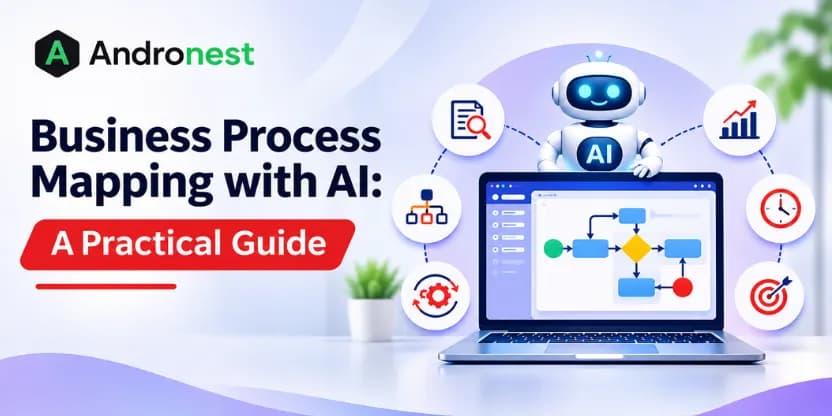
Business process mapping helps organizations visualize these workflows, understand how different activities connect, and identify opportunities to improve operations.
Artificial intelligence (AI) is making this activity more efficient by helping businesses analyze process documentation, extract information from business systems, identify recurring patterns, generate workflow diagrams, and uncover potential bottlenecks.
Instead of manually documenting every activity, organizations can use AI to accelerate process discovery and analysis while allowing process owners to validate the results.
But how does AI-powered business process mapping work? What can it automate, which tools and technologies are useful, and how can businesses implement it successfully?
This guide explains everything you need to know about business process mapping with AI, including practical applications, implementation steps, benefits, challenges, and best practices.
What is Business Process Mapping?
Business process mapping is the practice of visually representing the steps, decisions, responsibilities, inputs, and outputs involved in completing a business activity.
It helps organizations understand how a process starts, what happens at each stage, who is responsible, how information moves between teams, and what happens when an issue occurs.
A process map can represent a simple workflow involving a few activities or a complex enterprise process involving multiple departments, applications, approvals, and decision points.
For example, consider a customer onboarding process:
- A customer submits an application.
- The sales or onboarding team reviews the information.
- Required documents are collected.
- The information is validated.
- The application is approved or sent back for corrections.
- Customer details are entered into the business system.
- A confirmation or welcome message is sent.
A process map illustrates these activities in sequence and shows the decisions, handoffs, and responsibilities involved.
What Does a Business Process Map Include?
A typical business process map may contain the following elements:
- Activities: Tasks or actions performed during the process.
- Decision points: Conditions that determine which step happens next.
- Participants: Employees, teams, customers, or external parties involved.
- Inputs: Information, documents, requests, or resources needed to start an activity.
- Outputs: Results produced by completing an activity.
- Systems and tools: Applications, databases, and platforms used during execution.
- Business rules: Policies and conditions that determine how work should be performed.
- Exceptions: Situations where the normal workflow cannot be followed.
A well-designed process map provides a shared understanding of how work happens and creates a foundation for process improvement, automation, and digital transformation.
What is AI-Powered Business Process Mapping?
Business process mapping with AI is the use of artificial intelligence to document, visualize, analyze, and improve business workflows. AI can extract process steps from documents, analyze operational data, identify potential bottlenecks, and generate initial workflow diagrams.
Traditional process mapping often depends on interviews, workshops, manual documentation, and observations. These methods remain valuable, but they can take considerable time, particularly when processes involve multiple departments and applications.
AI can accelerate several parts of this work by analyzing information from existing business documents, application records, process logs, and employee inputs.
Depending on the available data and tools, AI can help organizations:
- Extract workflow steps from documents and written procedures.
- Summarize process information from interviews and meeting transcripts.
- Identify activities, roles, decisions, and dependencies.
- Generate initial workflow descriptions and diagrams.
- Analyze process records to identify recurring patterns.
- Highlight potential bottlenecks, delays, and repeated activities.
- Compare documented workflows with actual execution data.
- Suggest opportunities for automation and process improvement.
For example, a company may use AI to analyze its customer onboarding documentation, application records, and employee feedback. AI can organize the information into a preliminary workflow, identify common approval stages, and highlight areas where manual work or repeated data entry may occur.
Process owners can then review the generated map, correct inaccuracies, confirm business rules, and approve the final workflow.
The important distinction: AI supports process discovery and analysis, but it should not independently decide that a process is correct or that a suggested change is suitable. Human validation remains essential.
Traditional vs. AI-Assisted Business Process Mapping
| Area | Traditional Process Mapping | AI-Assisted Process Mapping |
| Information gathering | Interviews, workshops, and documents | Documents, interviews, and available system data |
| Documentation | Primarily manual | AI-assisted extraction and drafting |
| Workflow diagrams | Created manually using mapping tools | Initial diagrams can be generated from structured descriptions |
| Process analysis | Analyst-led review | AI-supported analysis and pattern identification |
| Bottleneck identification | Manual review and operational reports | Can be supported by analytics and process mining |
| Validation | Process owner and employee review | Still requires process owner and employee review |
Why Traditional Process Mapping Can Be Challenging
Traditional process mapping remains useful, but organizations can face several challenges when documenting and maintaining complex workflows.
Process maps can become outdated. Business processes change continuously as new systems are implemented, team structures shift, regulations are updated, and customer expectations evolve. A process map that was accurate several months ago may no longer reflect current operations.
Documented processes may differ from actual operations. During interviews and workshops, employees may describe the official workflow rather than the workarounds, exception paths, informal handoffs, and undocumented activities that occur during day-to-day operations.
As a result, the documented workflow may not fully reflect how employees actually complete their work.
Manual documentation requires time and expertise. Producing a detailed process map may require experienced business analysts, process modelers, and workshop facilitators. Coordinating these resources across multiple departments can be challenging.
Scaling process mapping can be difficult. A mid-sized or large organization may have hundreds of processes across different departments. Documenting and maintaining all these workflows manually can require significant time and coordination.
AI can help address some of these challenges by accelerating information gathering, documentation, and analysis. However, it works best when combined with employee knowledge and proper process validation.
How AI is Transforming Traditional Business Process Mapping
AI changes business process mapping from a largely manual documentation activity into a more data-assisted approach.
Traditional process mapping typically relies on people explaining workflows and analysts converting that information into diagrams. AI can support this work by processing larger volumes of information, identifying patterns, and helping generate structured documentation.
Here are some important ways AI is changing the process.
1. Automated Process Documentation
Many organizations already have process information stored in standard operating procedures (SOPs), policy documents, employee manuals, emails, and internal knowledge bases.
AI can analyze these documents and extract information such as:
- Process activities and their sequence.
- Employee responsibilities.
- Required approvals.
- Business rules and conditions.
- Documents and information required at each stage.
- Exceptions and escalation procedures.
This information can be organized into a structured process description or used to create an initial workflow diagram.
For example, an organization may upload its employee onboarding SOP to an AI-powered document analysis system. The system can identify activities such as document collection, background verification, account creation, equipment allocation, and orientation scheduling.
The process owner can then review the extracted steps and convert them into an approved process map.
2. Process Discovery from Business Data
Documented processes do not always reflect how work actually happens.
Employees may follow informal procedures, skip certain steps, repeat activities, or use alternative routes to complete tasks.
AI can help analyze operational data to identify these patterns.
For example, an organization may analyze records from its CRM, ERP, customer service platform, or workflow management system to understand:
- How long activities take.
- Where requests frequently get delayed.
- Which activities are repeated.
- How often cases require rework.
- Which approval stages create bottlenecks.
- How frequently exceptions occur.
This becomes particularly useful when combined with process mining.
Process mining uses event data recorded by business systems to reconstruct and analyze how processes are executed. AI can complement process mining by helping interpret patterns, classify exceptions, summarize findings, and identify potential improvement opportunities.
3. Natural Language to Workflow Diagrams
One of the practical applications of generative AI is converting written descriptions into structured workflow drafts.
Instead of manually creating every process element, users can describe a business activity in plain language.
For example:
“When a customer submits a support request, the system creates a ticket, checks its priority, assigns it to the appropriate team, and escalates unresolved high-priority cases.”
An AI-enabled mapping tool may convert this description into a preliminary workflow containing:
- Customer submits a request.
- Support ticket is created.
- Priority is evaluated.
- Ticket is assigned.
- Resolution is attempted.
- High-priority unresolved tickets are escalated.
- Customer receives an update.
The resulting workflow can be reviewed and refined by process analysts.
This approach can reduce the time required to create initial diagrams, especially for processes that are already documented in natural language.
4. Identifying Process Bottlenecks
A bottleneck occurs when an activity, resource, or decision point slows down the overall process.
For example, a customer application may pass through several departments, but all final approvals may depend on one manager. If that manager receives too many requests, applications may remain pending.
AI can help analyze historical process data to identify patterns associated with delays.
It may highlight:
- Activities with unusually long completion times.
- Departments with growing backlogs.
- Approval stages that frequently delay requests.
- Repeated document corrections.
- Tasks that require frequent manual intervention.
These findings help process owners investigate the underlying causes and prioritize improvements.
However, a long processing time does not automatically indicate an unnecessary activity. Some steps may be required for compliance, quality assurance, or risk management.
5. Process Improvement Recommendations
Once a workflow has been documented and analyzed, AI can help generate suggestions for improvement.
For example, it may identify:
- Duplicate data entry across applications.
- Repeated approval steps.
- Opportunities to standardize information collection.
- Manual tasks that may be suitable for automation.
- Activities that could be performed in parallel.
- Frequent exceptions that require clearer business rules.
These recommendations should be evaluated against business objectives, compliance requirements, operational constraints, and employee feedback before implementation.
How AI-Powered Business Process Mapping Works

AI-powered process mapping typically involves multiple stages, from collecting workflow information to validating and improving the resulting process.
Here is a practical breakdown.
Step 1: Collect Process Information
The first step is to gather information about the business process you want to map.
Potential information sources include:
- Standard operating procedures.
- Internal policy documents.
- Employee interviews.
- Meeting transcripts.
- Emails and request records.
- CRM and ERP activity logs.
- Workflow management systems.
- Customer service records.
- Application and transaction histories.
The quality and availability of this information influence how accurately AI can analyze the process.
Organizations should also ensure that information is collected and processed according to their data protection and access policies.
Step 2: Extract and Organize Process Activities
AI tools can analyze the collected information and identify the activities involved in completing the process.
For example, when analyzing an invoice approval workflow, AI may extract activities such as:
- Invoice received.
- Invoice details extracted.
- Supplier information verified.
- Purchase order matched.
- Invoice routed for approval.
- Payment scheduled.
- Payment confirmation recorded.
The extracted information can be organized into a structured format that process analysts can review.
Step 3: Identify Participants and Responsibilities
A business process often involves multiple employees, teams, departments, and external parties.
AI can help identify the participants mentioned in process documentation and associate them with relevant activities.
For example:
| Process Activity | Responsible Team |
| Invoice submission | Supplier |
| Invoice validation | Accounts Payable |
| Purchase order verification | Procurement |
| Payment approval | Finance Manager |
| Payment execution | Finance Team |
The process owner should verify these assignments because responsibilities may differ across departments, locations, or business units.
Step 4: Identify Decisions and Process Dependencies
Not every business process follows a simple linear sequence.
Some activities depend on decisions, approvals, conditions, or information received from other systems.
For example, an invoice approval workflow may contain the following decisions:
- If the invoice amount is within the approved threshold, route it for standard approval.
- If the invoice amount exceeds the threshold, request additional authorization.
- If the purchase order does not match, send the invoice for clarification.
AI can help extract these conditions from business rules and documentation and organize them into decision points.
Step 5: Generate the Initial Process Map
After identifying the activities, participants, decisions, and dependencies, the information can be converted into a visual process map.
Depending on the tool and requirements, the map may use:
- Flowcharts.
- Swimlane diagrams.
- Business Process Model and Notation (BPMN).
- SIPOC diagrams.
- Value stream maps.
AI can help generate a first draft, but the final diagram should follow the organization’s chosen modeling standard and be validated by the relevant process owners.
Step 6: Validate the Process Map
This is one of the most important stages.
AI-generated process maps may contain missing steps, incorrect assumptions, incomplete business rules, or inaccurate relationships between activities.
Process owners and employees who perform the work should review the map to confirm:
- All important activities are included.
- The sequence of activities is correct.
- Responsibilities are assigned accurately.
- Decision conditions are complete.
- Exceptions are represented.
- Required controls and approvals are retained.
- The map reflects actual business operations.
Validation ensures that the process map represents the real workflow rather than an AI-generated interpretation of incomplete information.
Step 7: Analyze and Improve the Process
Once the current workflow has been validated, the organization can analyze it for improvement opportunities.
AI and process analytics can help identify patterns related to:
- Processing time.
- Waiting time.
- Repeated work.
- Manual effort.
- Error rates.
- Approval delays.
- Resource utilization.
The organization can then create a future-state process map showing how the workflow should operate after improvements.
Step 8: Monitor and Update the Process
Business processes change as organizations introduce new applications, update policies, expand operations, and modify responsibilities.
Process maps should therefore be treated as living documentation rather than one-time diagrams.
Organizations can periodically review process information and use updated operational data to identify changes that may require revisions.
Business Process Mapping Example: AI-Powered Customer Onboarding
To understand how AI can support business process mapping, consider a company that manages customer onboarding through a combination of emails, spreadsheets, and CRM records.
The existing process involves several manual activities:
- Receiving customer information.
- Reviewing submitted documents.
- Requesting missing information.
- Verifying customer details.
- Creating a CRM record.
- Obtaining internal approval.
- Sending a welcome message.
The company wants to understand where the process is slowing down and whether certain activities can be automated.
Current-State Process
The existing workflow may look like this:
Customer submits application → Employee reviews information → Missing details requested (if required) → Documents verified → Manager approval → CRM record created → Welcome email sent.
During the analysis, the company discovers that employees frequently request missing documents, manually enter the same information into multiple systems, and spend considerable time tracking pending approvals.
How AI Can Help
AI can support the process analysis in several ways.
Document analysis: AI can extract information from submitted forms and documents, helping employees identify missing fields or inconsistencies.
Workflow analysis: AI can summarize process records and highlight recurring delays, repeated requests, and manual handoffs.
Process documentation: Generative AI can convert written procedures and employee feedback into a preliminary workflow diagram.
Automation identification: AI can help identify suitable opportunities, such as document classification, information extraction, and automated status notifications.
Future-state mapping: AI can help draft an improved workflow that incorporates approved automation opportunities and clearly defined human approval steps.
Future-State Process
After reviewing the findings, the company may design a revised workflow:
- Customer submits an application through a portal.
- AI extracts relevant information from submitted documents.
- The system checks for missing or inconsistent information.
- Incomplete applications are returned for correction.
- Valid applications are routed for the required verification and approval.
- Approved information is transferred to the CRM.
- The customer receives an automated onboarding confirmation.
The process owner must confirm that the proposed workflow meets business, security, and compliance requirements before it is implemented.
This example illustrates how AI can help organizations move from manual process documentation toward more structured, data-informed process improvement.
Common Business Process Mapping Techniques and How AI Supports Them
Different process mapping techniques serve different purposes. The right technique depends on the complexity of the process and the information the organization wants to communicate.
1. Flowcharts
Flowcharts use symbols and arrows to represent activities, decisions, and the sequence of events in a process.
They are useful for documenting straightforward workflows and explaining how activities connect.
How AI helps: AI can convert written process descriptions into initial flowcharts, identify decision points, and suggest missing steps for review.
2. Swimlane Diagrams
Swimlane diagrams organize process activities according to the people, departments, or systems responsible for performing them.
They are especially useful for cross-functional processes involving multiple teams.
How AI helps: AI can identify participants and responsibilities from process documentation and help organize activities into appropriate lanes.
3. Business Process Model and Notation (BPMN)
BPMN is a standardized visual notation for representing business processes. It uses defined symbols to represent activities, events, gateways, and process flows.
BPMN is useful for complex workflows that require consistent documentation and communication between business and technical teams.
How AI helps: AI can assist with drafting BPMN-based process descriptions or diagrams from structured requirements. The resulting models should be checked for notation correctness and logical consistency.
4. SIPOC Diagrams
SIPOC stands for Suppliers, Inputs, Process, Outputs, and Customers.
It provides a high-level overview of a process and helps teams understand its boundaries and the information or resources involved.
How AI helps: AI can extract potential suppliers, inputs, activities, outputs, and customers from existing documents and organize them into a SIPOC structure.
5. Value Stream Mapping
Value stream mapping is used to visualize the flow of materials and information required to deliver a product or service. It helps teams distinguish value-adding activities from waiting time and other forms of waste.
How AI helps: When sufficient operational data is available, AI and analytics can help identify recurring delays, handoffs, and inefficiencies that process improvement teams should investigate.
AI Technologies That Support Business Process Mapping and Analysis
Understanding the technologies involved helps teams choose the right tools and set realistic expectations.
Process mapping and process mining serve different but complementary purposes. Process mapping documents workflows, while process mining uses event data to reveal how those workflows actually operate. AI can support both activities.
1. Process Mining
Process mining uses analytical techniques to reconstruct process flows from event log data stored in enterprise systems. It generates process models that show the execution paths captured in the available data, along with information such as activity frequency, processing time, and performance variations.
Depending on the platform and available connectors, process mining tools can collect event data from ERP, CRM, EHR, and other enterprise systems to analyze actual process execution and generate process models.
Popular process mining platforms include Celonis, UiPath Process Mining, SAP Signavio, IBM Process Mining, and ABBYY Timeline.
2. Machine Learning for Anomaly Detection
Machine learning models trained on historical process data can identify when a current process execution deviates from normal patterns.
For example, a model may identify activities that are taking longer than expected, unusual workflow paths, or higher-than-normal error rates.
These insights can help process owners investigate potential issues before they create downstream problems.
3. Large Language Models (LLMs) for Process Generation
Large language models (LLMs) can interpret natural-language process descriptions, existing documentation, and interview transcripts to generate structured process drafts, identify documentation gaps, and support process analysis.
They can also help summarize complex process information and convert unstructured descriptions into organized workflow steps.
4. Robotic Process Automation (RPA) Integration
Robotic Process Automation uses software bots to perform repetitive, rule-based activities through applications and user interfaces.
AI can complement RPA by helping organizations identify repetitive activities, extract information from documents, classify requests, and support more complex workflows.
When combined with process mapping, RPA can help organizations move from identifying repetitive activities to implementing structured automation.
However, automation opportunities should be evaluated based on process stability, business rules, exception handling, and expected operational value.
Popular Tools for Business Process Mapping, Process Mining, and Automation
Businesses can use different categories of tools to document, visualize, analyze, and improve their processes.
The right choice depends on whether the organization needs workflow diagrams, process mining, AI-assisted documentation, or process automation.
| Tool or Platform | Primary Use | How It Can Support Process Mapping |
| Microsoft Visio | Diagramming and process visualization | Create flowcharts, cross-functional diagrams, and structured process maps |
| FlowcastGPT | AI-powered diagramming | Helps users create and visualize diagrams using AI, supporting workflow representation and process documentation. |
| Lucidchart | Visual collaboration and diagramming | Build flowcharts, swimlane diagrams, and process documentation |
| SAP Signavio | Business Process Management | Model, analyze, and manage business processes |
| Celonis | Process mining and process intelligence | Analyze event data to understand actual process execution and identify inefficiencies |
| Camunda | Workflow and process orchestration | Model and execute business processes using BPMN and related technologies |
Microsoft Power Automate | Workflow automation | Automate tasks and connect business applications through defined workflows |
| UiPath | Robotic process automation and process mining | Discover automation opportunities and automate repetitive business activities |
These platforms serve different purposes. Some focus on visual process modeling, while others specialize in process mining, workflow execution, or automation.
AI capabilities also vary by product, edition, and configuration. Businesses should verify current features, licensing, integrations, and data-handling terms before selecting a platform.
Benefits of Business Process Mapping with AI
Combining AI with business process mapping can help organizations improve process visibility, reduce documentation effort, and make more informed operational decisions.
1. Faster Process Documentation
AI can analyze existing documents, transcripts, and structured information to create initial process descriptions.
This can reduce the manual effort involved in gathering and organizing workflow information.
2. Better Process Visibility
AI-assisted analysis can help organizations understand activities, responsibilities, handoffs, and dependencies across departments.
This provides a clearer picture of how work moves through the organization.
3. Identification of Inefficiencies
By analyzing process records and operational data, AI can help highlight repeated activities, delays, bottlenecks, and unnecessary manual work.
This allows teams to investigate improvement opportunities more systematically.
4. Improved Decision-Making
AI can organize process information and summarize patterns, helping managers and process owners understand where improvements may have the greatest impact.
The final decisions should still consider business priorities, compliance, employee experience, and operational feasibility.
5. Better Collaboration
AI-generated process summaries and diagrams can provide a common starting point for discussions between business teams, analysts, and technical stakeholders.
This can help reduce misunderstandings and make process reviews more productive.
6. Improved Automation Planning
Process mapping helps organizations understand how work is performed before automating it.
AI can help identify activities that may be suitable for workflow automation, document processing, RPA, or AI agents.
This reduces the risk of automating an incomplete or poorly understood process.
7. Continuous Process Improvement
When connected with updated operational information, AI-assisted process analysis can help organizations review changes in process performance over time.
Teams can use these insights to identify emerging bottlenecks and determine when process documentation needs to be updated.
Challenges of Using AI for Business Process Mapping
Although AI can make process mapping more efficient, it also introduces challenges that organizations should address.
1. Incomplete or Inaccurate Process Information
AI systems can only analyze the information available to them.
If process documents are outdated, employee feedback is incomplete, or system records do not capture important activities, the generated process map may be inaccurate.
How to address it: Combine AI analysis with employee interviews, process workshops, system records, and validation by process owners.
2. Incorrect AI-Generated Assumptions
Generative AI may infer relationships between activities or introduce steps that were not part of the actual process.
This can happen when documentation is ambiguous or important business rules are missing.
How to address it: Treat AI-generated diagrams as drafts. Validate every activity, decision, dependency, and exception before approving the process map.
3. Data Privacy and Security Risks
Process mapping may involve sensitive information, including employee records, customer data, financial information, and internal business documents.
Sending this information to an AI service without proper controls can create privacy and security risks.
How to address it: Use approved AI environments, apply data classification, restrict access, mask sensitive information where appropriate, and review provider data-handling policies.
4. Integration Complexity
Business process information may be distributed across multiple systems, such as CRM, ERP, HR, accounting, and workflow platforms.
Connecting these systems can require APIs, data pipelines, permissions, and integration development.
How to address it: Start with the most important process data sources and design integrations based on business requirements and security policies.
5. Difficulty Understanding Complex Exceptions
Many enterprise workflows include unusual cases, regulatory requirements, and decisions that depend on business judgment.
AI may not fully understand these exceptions from standard documentation alone.
How to address it: Involve employees who handle complex cases and document exception paths explicitly.
6. Employee Adoption and Change Management
Employees may be concerned about process changes, increased monitoring, or automation replacing parts of their work.
How to address it: Explain the purpose of process mapping, involve employees in discovery and validation, provide training, and communicate how improvements will affect their responsibilities.
Best Practices for Implementing AI-Powered Business Process Mapping
A successful implementation requires more than selecting an AI tool. Organizations need a structured approach that connects process discovery, data, technology, governance, and business objectives.
1. Start with a Clearly Defined Business Process
Avoid mapping every process across the organization at once.
Choose one process with a clear beginning and end, such as customer onboarding, invoice processing, or employee onboarding.
Prioritize processes that are high-volume, create frequent frustration, involve substantial manual work, or have clear improvement opportunities.
2. Define the Objectives
Determine what you want to achieve through process mapping.
Possible objectives include:
- Reducing processing time.
- Improving process visibility.
- Identifying unnecessary manual activities.
- Reducing errors and rework.
- Improving customer experience.
- Preparing workflows for automation.
- Improving compliance and accountability.
Clear objectives help teams evaluate whether the initiative delivers meaningful value.
3. Combine AI Analysis with Employee Knowledge
AI can analyze documents and operational data, but employees understand the practical details of how work gets done.
Involve the people who perform, manage, and approve the activities being mapped.
Their feedback can reveal informal workflows, exceptions, workarounds, and responsibilities that may not appear in system records.
4. Use Reliable and Relevant Data
Before analyzing business information, review its quality and completeness.
Check whether records contain accurate timestamps, activity names, case identifiers, responsible users, and relevant process information.
For process mining, event data should be sufficiently structured to reconstruct the sequence of activities.
5. Select the Right Process Mapping Technique
Choose a mapping method that matches the complexity of the process.
Use flowcharts for straightforward workflows, swimlane diagrams for cross-functional activities, BPMN for detailed process modeling, and SIPOC for high-level process analysis.
6. Validate AI-Generated Process Maps
Never assume an AI-generated workflow is correct simply because the diagram looks complete.
Ask process owners to verify the activities, responsibilities, sequence, decision rules, exceptions, and required controls.
7. Prioritize Improvements Based on Business Impact
Not every inefficiency needs to be automated.
Evaluate improvement opportunities based on expected business value, implementation effort, risk, technical feasibility, and employee impact.
Some processes may benefit more from simplifying approval steps or improving data quality than from introducing AI.
8. Establish AI Governance
Define how process data can be accessed, analyzed, stored, and shared.
Set clear permissions, data retention rules, human review requirements, and accountability for AI-assisted decisions.
9. Measure Results
Compare process performance before and after improvements.
Useful metrics include:
- Average process completion time.
- Waiting time between activities.
- Number of manual handoffs.
- Rework rate.
- Error rate.
- Approval cycle time.
- Automation rate.
- Cost per completed transaction.
- Customer or employee satisfaction.
Use these measurements to determine whether the new process is actually better.
How Andronest Can Help with AI-Powered Process Improvement
AI-powered business process mapping requires a combination of business understanding, AI capabilities, data, software integration, and workflow design.
Organizations need to understand their existing processes before deciding where AI, automation, or intelligent applications can create value.
Andronest helps businesses explore and implement AI solutions based on their operational requirements, existing technology environment, and business objectives.
Our capabilities across AI consulting, custom AI development, AI agents, software development, cloud services, and enterprise integration can support different stages of an AI-driven process improvement initiative.
Depending on your requirements, we can help with:
AI Consulting and Use Case Discovery
Evaluate business processes, identify potential AI opportunities, assess feasibility, and develop an actionable AI implementation roadmap.
Custom AI Solutions
Develop AI-powered applications that support document analysis, information extraction, workflow assistance, knowledge access, and business-specific automation.
AI Agent Development
Build AI agents that can interact with approved business systems, retrieve information, use defined tools, and perform tasks within controlled workflows.
Workflow and System Integration
Connect AI applications with existing business systems, APIs, databases, CRM platforms, and enterprise applications.
Data and Cloud Infrastructure
Support the data pipelines, cloud environments, and application infrastructure needed to operate AI-powered business solutions.
Our approach starts with understanding the business problem rather than recommending AI simply because it is available. The goal is to identify practical opportunities, design suitable solutions, and help organizations move from experimentation toward production.
Looking to improve your business processes with AI? Connect with Andronest to discuss your workflows, identify potential AI opportunities, and explore a practical implementation approach.
Frequently Asked Questions
1. What is business process mapping with AI?
Business process mapping with AI uses artificial intelligence to help document, analyze, visualize, and improve business workflows. AI can extract process information from documents, summarize employee interviews, analyze operational data, identify potential bottlenecks, and generate initial workflow diagrams.
2. How does AI help in business process mapping?
AI can support process mapping by analyzing SOPs, emails, meeting transcripts, and business system records. It can identify activities, responsibilities, decisions, and dependencies, generate workflow drafts, and help highlight process inefficiencies. Human validation is still necessary to ensure accuracy.
3. Can AI automatically create business process diagrams?
Yes. Certain AI-enabled tools can generate preliminary flowcharts and workflow diagrams from natural-language descriptions or structured process information. However, the diagrams should be reviewed for missing activities, incorrect decisions, responsibilities, and exceptions before being used as official process documentation.
4. What is the difference between process mapping and process mining?
Process mapping visually documents how a business process is expected to work or how stakeholders describe it. Process mining analyzes event data from business systems to reconstruct how processes actually execute. Organizations can use both approaches to compare documented workflows with real operational behavior.
5. What are the best AI tools for business process mapping?
The right tools depend on the required functionality. Microsoft Visio and Lucidchart support process visualization, SAP Signavio supports business process management, Celonis focuses on process mining, Camunda supports process modeling and orchestration, and platforms such as Power Automate and UiPath support workflow automation. AI capabilities and licensing vary across products.
6. Can AI identify bottlenecks in business processes?
AI can help identify potential bottlenecks by analyzing process records, activity durations, waiting times, repeated tasks, and workflow variations. Process mining and operational analytics can provide additional evidence. Process owners should investigate the findings to understand the underlying causes.
7. What types of business processes can be mapped using AI?
AI can support the mapping of customer onboarding, employee onboarding, invoice processing, procurement, order management, customer support, sales operations, insurance claims, document approval, and other business workflows.
8. Is AI-powered process mapping suitable for small businesses?
Yes. Small businesses can use AI to document repetitive workflows, analyze manual activities, and identify opportunities to simplify operations. They can begin with a single process rather than investing in a large process intelligence platform.
9. Does AI replace business process analysts?
No. AI can reduce manual documentation effort and help analysts process information more efficiently, but business process analysts remain important for understanding business requirements, validating workflows, evaluating risks, and designing practical improvements.
10. How can businesses measure the success of AI-powered process mapping?
Businesses can measure success through process completion time, waiting time, manual effort, error rates, rework, approval delays, automation rates, cost per transaction, and customer or employee satisfaction. The appropriate metrics depend on the process improvement objectives.
Conclusion
Business process mapping with AI helps organizations understand how work happens, identify operational inefficiencies, and discover opportunities to improve business workflows.
By combining generative AI, natural language processing, machine learning, process mining, and workflow automation, businesses can accelerate process documentation and gain better visibility into how their operations function.
However, AI-generated process maps should be treated as starting points rather than final answers. Accurate process improvement still requires reliable information, employee involvement, human validation, appropriate governance, and measurable business objectives.
The most effective approach is to start with a clearly defined business process, document its current state, analyze performance, and introduce improvements based on actual business needs.
With the right combination of AI capabilities, reliable data, and thoughtful workflow design, organizations can make their business processes more efficient, transparent, and adaptable.